

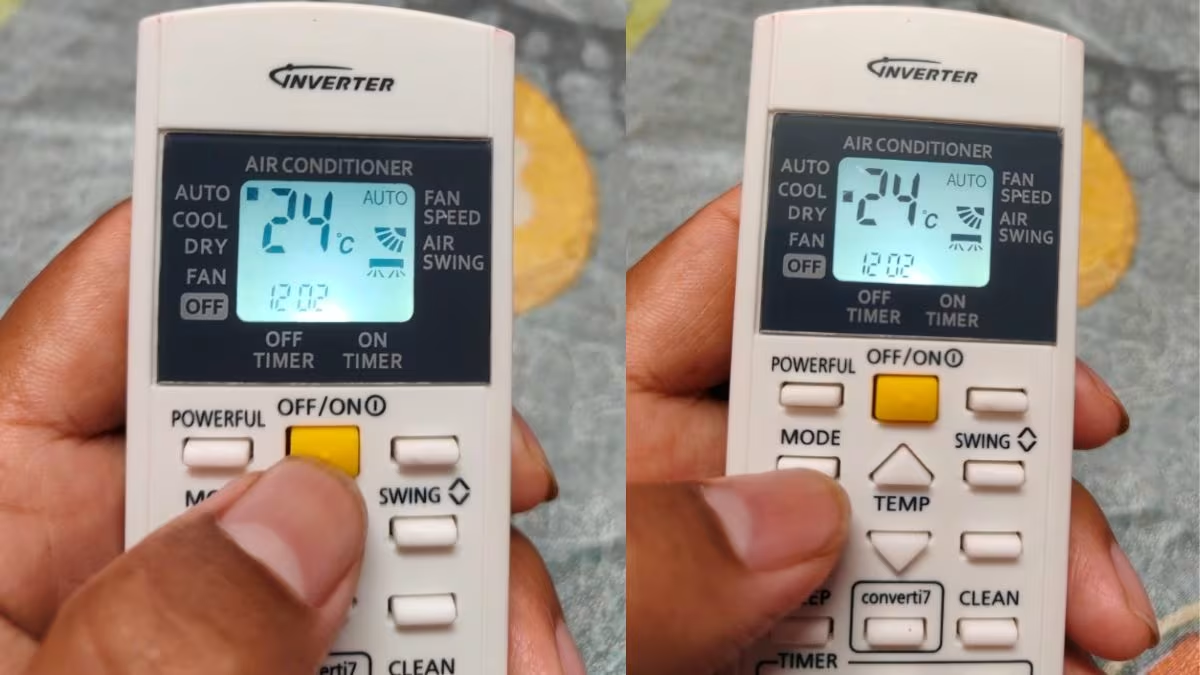
It is not a secret that with the cool mode, you have direct control of your AC temperature. Nonetheless, the majority of people seldom leave the auto mode because it is convenient enough compared to any other mode. You should not actually feel guilty when someone can guilt trip you about the use of auto mode since in case your AC is of a reliable brand and you use it properly, it does not actually affect your comfort. Who then should use auto mode and who should use cool mode? What are the most effective ways to use each mode? What effect do they have on your electricity bill? Let us explore in detail.
What Is Auto Mode?
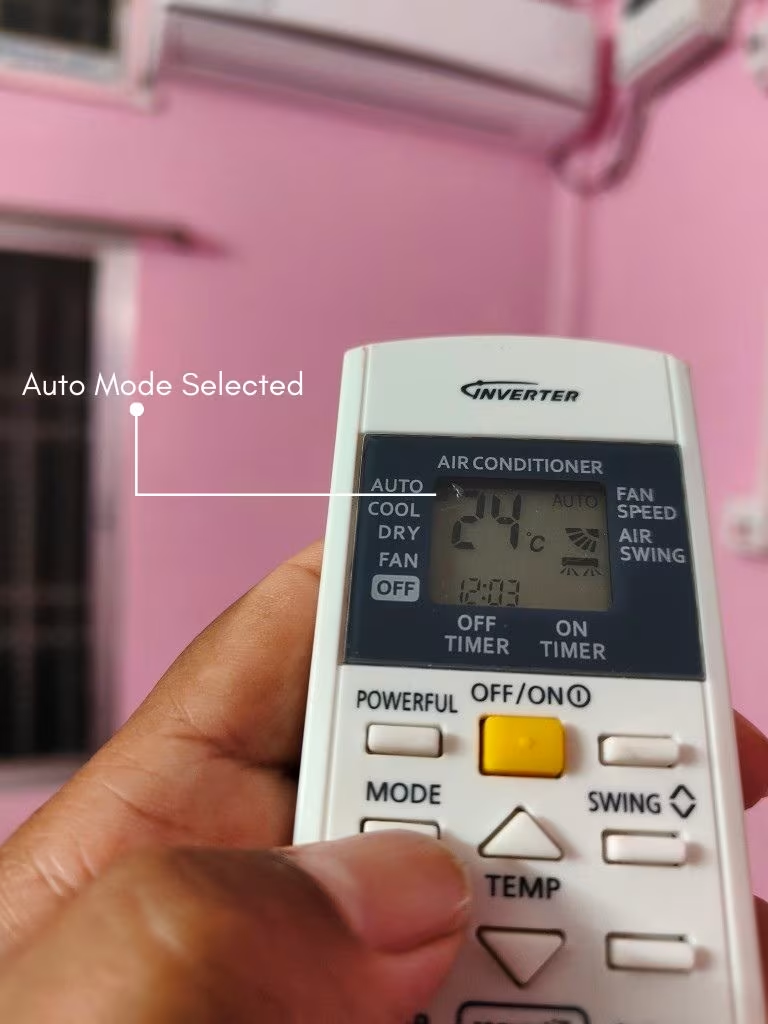
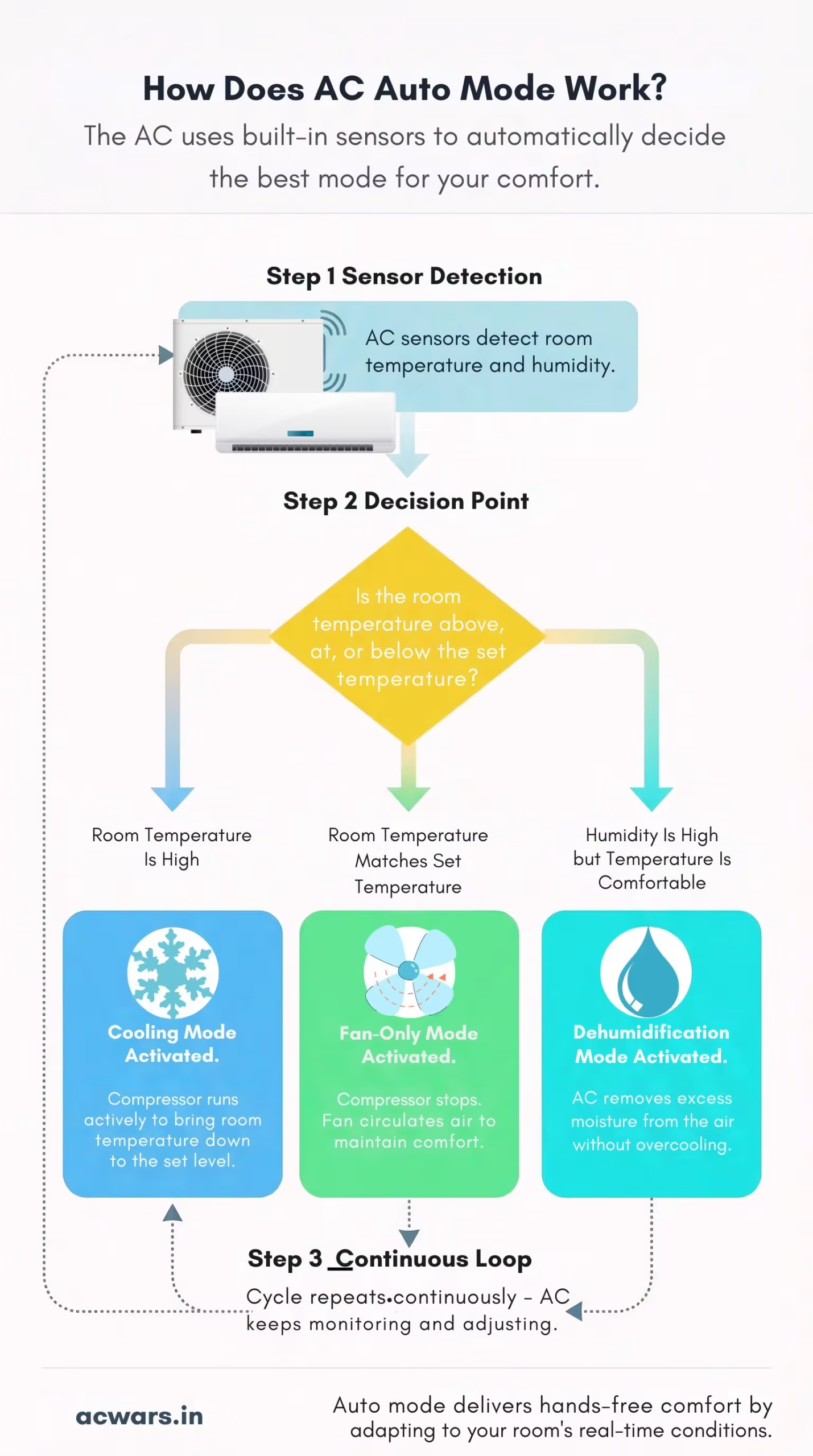
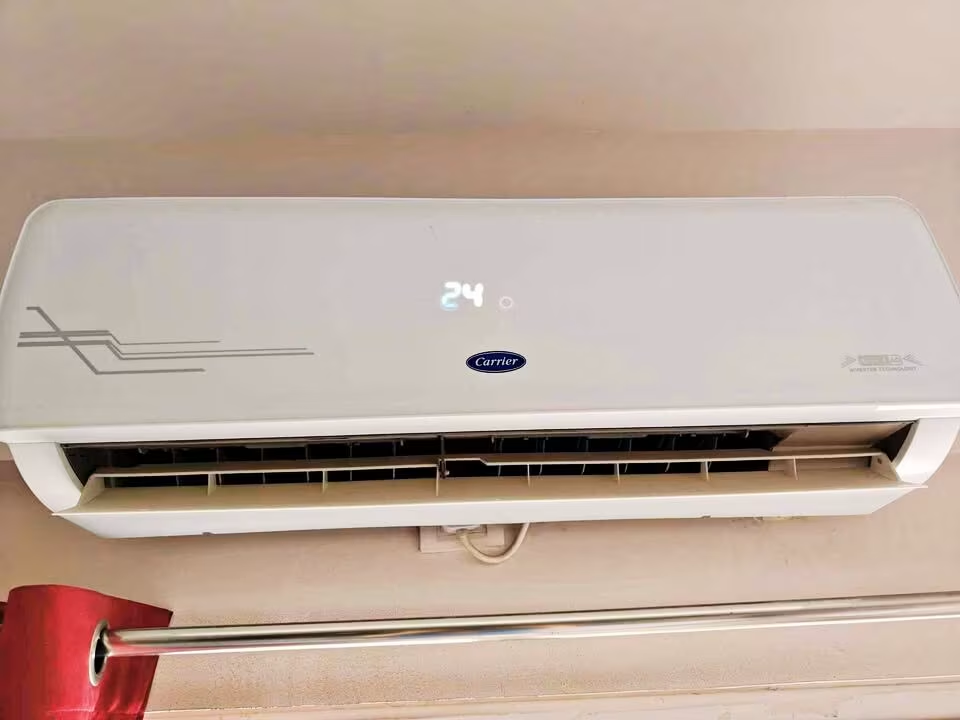
Auto mode, as you are aware, is a smart operating mode that is present in the majority of modern air conditioners. Upon selection the AC automatically determines whether to cool, fan or even to heat the room based on the prevailing temperature of the room and the set temperature on the remote. It also automatically changes the fan speed, compressor intensity and swing direction. In the models of such brands as Daikin, Carrier, Hitachi and Panasonic, auto mode relies on built-in sensors and even AI algorithms to optimise performance. Basically, the AC takes over in the auto mode. You simply set the temperature you want and it works out the rest.
What Is Cool Mode?
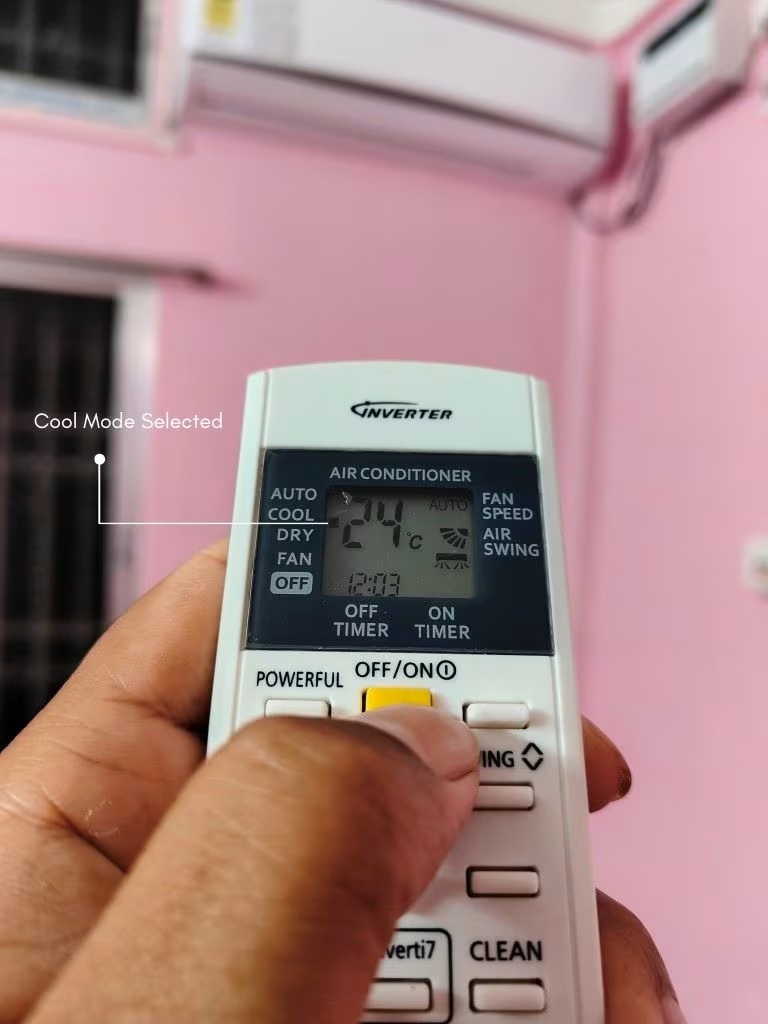
The most popular and familiar operating mode in an air conditioner is cool mode. When you choose cool mode, the compressor of the AC actively strives to cool the room to the temperature that you have set on the remote. There is complete manual control of the temperature, fan speed and direction of swing. The compressor is turned on and off (or varies its speed in inverter ACs) to keep the desired temperature. The AC does not alternate functions as in the case of auto mode. It remains in cooling whether the room has already attained a comfortable level or there is a change in the ambient conditions.
Cooling Performance
Auto mode and cool mode have their merits and demerits when it comes to cooling performance.
Cool mode, as the name implies, provides faster and more aggressive cooling than auto mode. Regardless of how intelligent the auto mode algorithm is, when you need to get the room cool within a short period of time on a hot afternoon, cool mode with low temperature setting and high fan speed will achieve the desired results at a lower speed than auto mode.
Since the auto mode is based on sensors and pre-programmed algorithms, it does not increase the compressor speed and fan at once but does it gradually until the AC reaches its maximum capacity. In these cases therefore, when the room is very hot, the auto mode will take a significantly longer time to cool the room than cool mode with turbo fan at 18 °C or 20 °C.
However, what compensates this weakness is a great benefit of auto mode, namely its capability to ensure the same level of comfort during extended durations. Due to the smart temperature and fan speed control, the auto mode can ensure that the room does not get too cold or too hot. Therefore, once the room has attained the required temperature, the AC in auto mode does not continue to blast cold air unnecessarily as it is usually the case with cool mode when the users forget to change the settings.
The regular comfort also implies the improved quality of sleep. The AC also has an auto mode that increments the cooling power as the ambient temperature decreases, so that the room is not made too cold at the early hours of the morning. Likewise, such functions as Panasonic custom sleep profiles and Daikin Good Sleep Off Timer are more efficient in combination with the auto mode. However, in cool mode, you would have to manually turn up the temperature, or use a timer so that you would not be chilled in the middle of the night.
If you are evaluating inverter ACs with strong cooling performance in both modes, our detailed comparison of LG vs Hitachi 1.5 Ton 5 Star Inverter AC covers how these two brands handle cooling efficiency and temperature management
Winner: Cool Mode, speed, Auto Mode, long-term comfort.
Energy Efficiency
Auto mode tends to be more energy saving compared to cool mode. The AC also regulates its compressor speed and fan according to the real-time conditions of the room, which implies that it only uses as much power as required. Such brands as Carrier, 6-in-1 FlexiCool technology, and Hitachi Xpandable+ technology, are aimed at dynamically adjusting capacity in auto mode, which saves a lot of energy.
For smaller rooms, explore our Top 1 Ton low power consumption ACs.
Cool mode, however, may be energy consuming when it is not properly managed. When the user adjusts the temperature to a low level, e.g. 18 °C and keeps the fan on high speed, the compressor operates continuously at a higher rate. This increases the consumption of electricity particularly in inverter ACs whereby the compressor operates continuously but with varying speeds.
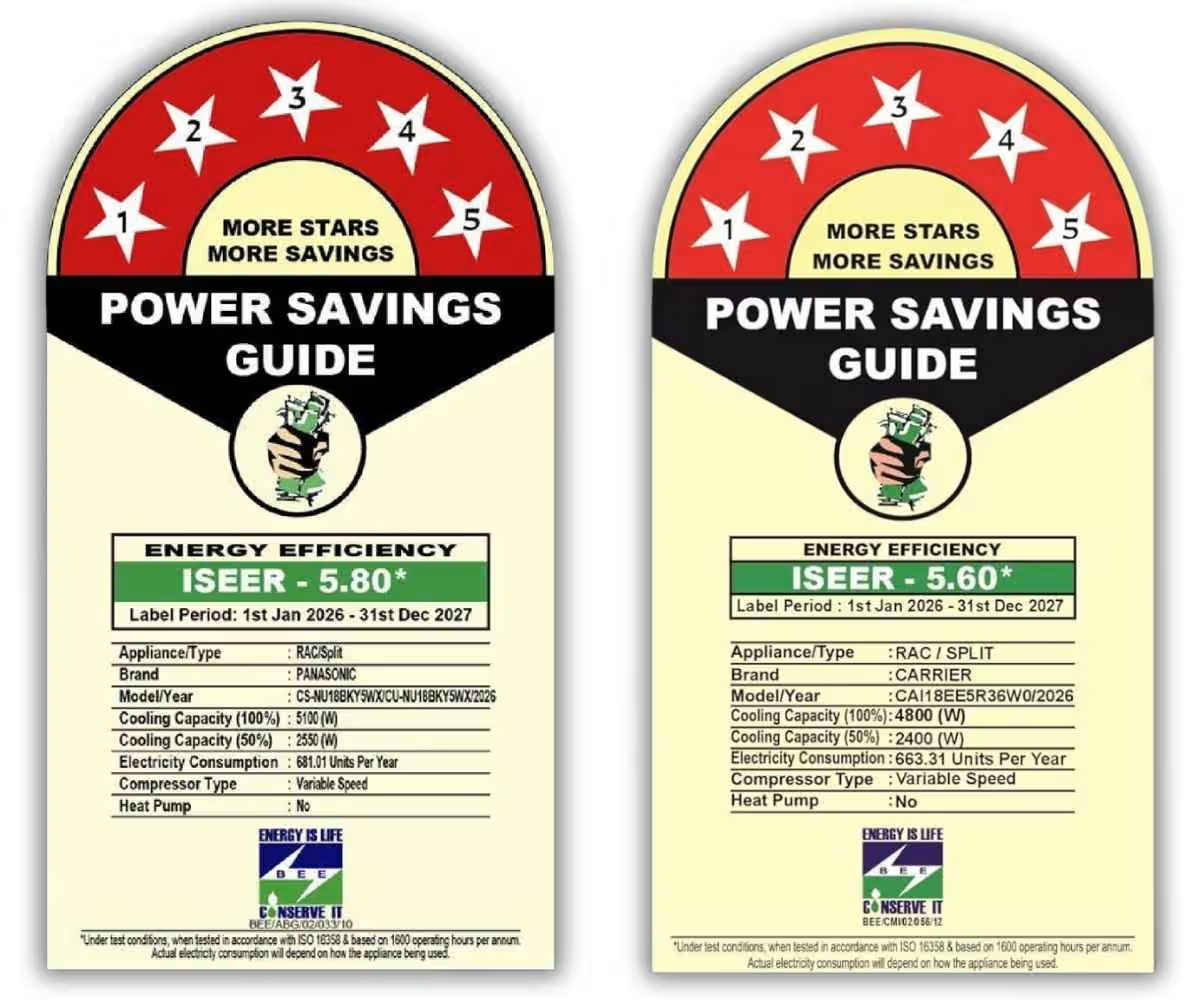
Nevertheless, cool mode can be effective also, when a user chooses a reasonable temperature, preferably between 24 °C and 26 °C and regulates the speed of the fan based on the size of the room. The difference in energy use between the auto mode and a prudently set cool mode is not as radical as most individuals believe in our minds. An already optimised Carrier 1.5 Ton 5 Star AC with an ISEER of 5.6 or a Panasonic with an ISEER of 5.80, e.g., is already optimised to provide efficient cooling in both modes. The actual energy loss occurs when the cool mode is utilised recklessly with extreme settings during prolonged durations.
Such functions as the Econo Mode of Daikin and Smart Energy Display of Carrier can assist you to monitor and minimise power usage whether you are using the auto mode or cool mode. The Smart View Display of Hitachi also provides real-time feedback and allows users to make informed adjustments.
Winner: Auto Mode
If energy efficiency is a priority for you and you are considering Panasonic, our comparison of Panasonic vs Lloyd AC – 1.5 Ton 5 Star AC breaks down how both brands perform on power consumption and seasonal efficiency
User Control
Cool mode provides you with the full control of the way the AC works. You choose the temperature, the speed of the fan, the direction of the swing and when to switch on or off the AC. This degree of control is priceless to users who are sensitive to their comfort preferences.
Auto mode, however, leaves the majority of the decision-making to you. Although this is convenient to many, it may be frustrating to people who want to use a particular temperature and fan speed mix. The AC may also turn to fan mode in auto mode or slow down the compressor when it detects that the room is at the desired temperature, although you may still feel hot.
A compromise is provided in some sophisticated ACs. The AI mode in Panasonic, e.g., gets to know your preferences with time and changes. My Mode on carrier allows you to store custom settings of temperature, fan speed and louvre position. Hitachi also has My Mode that has three customised options. These add some level of customisation to auto mode, yet they remain nowhere near the level of granular, real-time control that cool mode provides.

Both of them can be complemented with Wi-Fi capabilities that are offered in models by Carrier, Hitachi and Panasonic, which means that you can remotely control your AC. Nevertheless, even with intelligent controls, auto mode essentially restricts the extent to which you can override the choices of the AC in comparison to cool mode.
Winner: Cool Mode
Impact on AC Lifespan
Auto mode is less harsh to your AC components. The wear and tear on the compressor, motors and other internals are reduced because it varies the compressor speed and fan depending on the real demand. This is particularly the case with inverter ACs of such brands as Daikin with its patented swing compressor, which is made to run smoothly and with low vibration. In the auto mode of the AC, the compressor hardly reaches its peak capacity, which is translated to reduced friction and increased life.
Cool mode, especially when extreme settings are used, places extra pressure on the compressor. The AC being used during the hot day at 18C would compel the compressor to work at full load or close to full load. In the long run, this may result in accelerated wear of the compressor and other moving components.
With that said, the current inverter ACs are designed to support continuous operation. Daikin has a 10-year warranty on the compressor, Carrier has 10-year warranty on the compressor and 5-year warranty on the PCB and Panasonic has a 5-year warranty on its products and a 10-year warranty on the compressor. Such warranty terms indicate that manufacturers are sure of the life of their compressors even when they are used in harsh usage patterns. Therefore, the difference in lifespan might not be significantly high in case you use cool mode responsibly, though technically, auto mode is easier on the hardware.
Winner: Auto Mode
Our detailed comparison of Blue Star vs Daikin 1.5 Ton 5 Star AC explores how both brands fare on build quality
Suitability for Different Scenarios
Auto mode and cool mode are appropriate in various circumstances and knowing this will enable you to make the best decision.
- Bedrooms at Night: Auto mode is an obvious winner in this case. It modulates the cooling as the night falls and the ambient temperatures are lowered. Such functions as the Good Sleep Off Timer of Daikin and personal sleep profiles of Panasonic are a good complement to auto mode and make sure that you are not waking up shivering at 3 am.
- Living Rooms During the Day: Cool mode is more appropriate in the rooms where people enter and leave often, doors open and close, and the heat load is constantly varying. When you are in this situation you want the AC to cool with aggression and the cool mode will allow you to set the AC to do just that.
- Home Offices: Auto mode is an intelligent option when you have long working hours. It has a steady temperature that does not require you to keep changing settings so that you can concentrate on work instead of playing with the remote.
- Kitchens Near Living Areas: At this point, the Cool mode with a lower temperature level is more effective since the heat produced by cooking always increases the temperature of the room. Auto mode might not respond quickly to the heat spikes.
- Extreme Summer Days (Above 45 °C): Cool mode, along with options such as Insta Cool of Carrier, Xpandable+ technology of Hitachi or high ambient operation of Panasonic up to 55 °C is more suitable when you require the highest cooling possible. Auto mode can fail to drive the AC to the extreme to overcome extreme heat rapidly.
Winner: It depends on the situation.
For larger spaces, consider our Top 2 Ton 3 Star ACs.
Ease of Use
Auto mode is virtually hassle-free. You just need to programme the desired temperature, press the auto button on the remote. All other functions, including fan speed control and mode switching, are controlled by the AC. Auto mode is the apparent option in case of older relatives, children, or any person who does not want to deal with various settings.
Cool mode is not a very complicated mode but a little more involved. You have to adjust the temperature, select the appropriate fan speed and the direction of the swing depending on the room design and your comfort level. It requires a certain amount of trial and error to get the right combination, particularly when the weather varies or when you switch out of a smaller room to a larger one.
The two modes can be accessed using smart features offered in modern ACs. Wi-Fi 2.0 with Alexa and Google Assistant on Carrier, airCloud Go application on Hitachi and MirAIe platform on Panasonic enables both modes to be controlled remotely and scheduled. Nevertheless, these intelligent integrations are more advantageous to auto mode since the AC is already making intelligent choices and the app merely provides an extra level of convenience.
Winner: Auto Mode
Humidity Control
Auto mode is superior to cool mode in most cases. The AC is able to switch to a dehumidification mode or change its operation to minimise moisture in the air when the AC notices that there is high humidity. This comes in handy especially in the monsoon months when the air is sticky. Aspects such as the Dry Mode of Carrier and the Dry Function of Daikin integrate perfectly in the auto mode and address the issue of excess moisture without cooling the room too much.
Cool mode, in its turn, actually decreases humidity as a by-product of the cooling effect. As the air is cooled by the evaporator coil, moisture condenses on it and drips off. Nevertheless, cool mode is not aimed at humidity in particular. When the room temperature is already comfortable and the humidity is high, cool mode will continue to attempt to reduce the temperature instead of attempting to remove moisture. You would have to manually turn on dry mode, which nullifies the convenience of set-and-forget.
The fact that the humidity removal capability of the Hitachi is 35 percent more than that of Daikin, and the moisture removal capability of Daikin is 1.8 litres per hour is an added advantage to the dehumidification capability. Both of these specifications perform well in both modes, although the benefit is on the auto mode because it automatically switches to dehumidification when necessary.
Winner: Auto Mode
Conclusion
Auto mode is an appropriate choice of people who require the set-and-forget cooling that can adjust to the changing conditions during the day. When installed in a room of a good size with a good quality inverter AC such as Daikin, Carrier, Hitachi or Panasonic it provides the comfort that is always constant, the energy consumption is more efficient and the compressor is treated in a more gentle manner. It is particularly perfect in nighttime, when it is necessary to work long hours and when the user does not want to adjust the settings.
Cool mode is a suitable option when one desires to have complete control over his AC and perceives even subtle variations in the cooling speed and intensity. In case the primary requirements are the fast cooling, the ability to control the temperature precisely and the maximum output in the case of extreme heat, and you are ready to spend some moments to change the settings depending on the conditions in the room, cool mode is surely the one that suits you best.


